SVG to Inkstitch Conversion Explained: Best Practices for Embroidery
30
Oct
SVG to Inkstitch Conversion Explained: Best Practices for Embroidery
ByArsalan MustafaBlogsComments Off on SVG to Inkstitch Conversion Explained: Best Practices for Embroidery
The art of digital embroidery is fascinating, and knowing how to convert SVG files to Inkstitch can elevate your designs. No matter your experience level, this guide from QualityCare will walk you through the process. Using Inkscape and Inkstitch, you’ll optimize your designs for embroidery machines and achieve professional results.
SVG: what is it?
SVG files (Scalable Vector Graphics) store vector artwork. They maintain quality at any size, making them ideal for:
Website graphics
Illustrations
Embroidery designs
SVG’s scalability and precision make it perfect for creating intricate, clean designs ready for embroidery.
Inkstitch: what is it?
Inkstitch is an extension for Inkscape, a popular open-source vector graphics editor. Inkstitch allows you to:
Select custom stitch types (satin, fill, run)
Adjust stitch density
Create patterns and embroidery-ready designs
By converting SVG files with Inkstitch, you can produce precise, machine-compatible embroidery designs.
What’s the point of converting SVG to Inkstitch?
Converting SVG to Inkstitch allows you to:
Ensure stitch precision
Adapt designs to different fabrics
Export files in machine formats like PES, DST, or EXP
This skill streamlines your embroidery workflow and helps create professional-quality designs.
Converting SVG to Inkstitch: Step-by-Step
1. Get your SVG file ready
Simplify complex shapes and remove unnecessary elements
Minimize nodes and avoid overly intricate details for embroidery
2. Download and install Inkstitch
Download and install Inkscape from the official website
Get the Inkstitch extension and integrate it with Inkscape following the instructions
3. Upload your SVG
Open Inkscape and import the SVG via File > Import
Ensure design elements are compatible with embroidery
4. Set your stitch settings
Choose the right stitch type (satin for borders, fill for larger areas)
Adjust stitch density according to fabric type and design complexity
Perfect paths and remove overlaps using node editing tools
5. Export and preview
Preview your design in Inkstitch
Make final adjustments if needed
Export in a machine-readable format like PES, DST, or EXP
Conversion Tips
Keep designs simple to avoid stitching mistakes
Match design colors with your machine’s thread palette
Test stitch on a similar fabric to check accuracy
Common Issues to Troubleshoot
Too much stitch density: Reduce stitch density to prevent thick, stiff embroidery
Overlapping nodes: Ensure paths are clean and do not overlap
Wrong stitch type: Assign correct stitch types for each design element
Final Thoughts
For embroidery enthusiasts, learning to convert SVG files to Inkstitch is a game changer. By following these steps, you can create embroidery-ready designs using Inkscape and Inkstitch for personal or professional projects.
Start converting SVGs today and take your embroidery projects to the next level!
Halloween embroidery patterns let you create seasonal decorations, personalized gifts, clothing details, and small handmade keepsakes with basic needlework skills. You can choose cute ghosts, black cats, pumpkins, bats, witch hats, cobwebs, or detailed haunted houses, then adapt the colors and stitches to your project. For beginners, simple outlines and...
An embroidered beanie adds a personal touch to your winter wardrobe with custom flowers, initials, leaves, or geometric designs. You can embroider a knit beanie by hand with embroidery floss, a needle, and a suitable stabilizer, or use an embroidery machine for more detailed designs. The key is to control...
Embroidery thread colors affect design visibility, brand consistency, texture, and the appearance of finished stitches. The right shades help you reproduce logos accurately, create realistic artwork, and coordinate embroidery with fabric. An embroidery thread colors chart helps you identify shades by number, name, and color family, while conversion charts help...
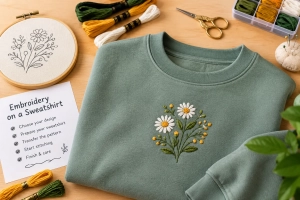
Learning how to embroider on a sweatshirt requires a suitable design, the right stabilizer, and careful fabric control. Sweatshirt fleece is thicker and stretchier than woven cotton, so preparation matters. With a home embroidery machine or hand needle, you can create a custom motif, name, border, or sleeve detail. Quality...
Bulk Christmas gift orders come with tight deadlines. Speed and accuracy matter more than ever during the holiday season. Vector artwork helps businesses complete large orders faster without sacrificing quality. Clean Artwork Reduces Preparation Time Vector files arrive clean and organized. They do not require heavy cleanup or redraws. This...
Christmas gifts need to look clean, polished, and professional. Vector files play a major role in achieving that quality. Without proper vectors, even the best gift idea can lose its premium feel. Clean Designs Start with Vector Artwork Vector files use smooth paths instead of pixels. This keeps artwork sharp...
Last-minute Christmas gifts still need to look thoughtful and premium. Digitizing makes fast customization possible without sacrificing quality. When time is short, embroidery digitizing delivers reliable and professional results. Why Digitizing Is Ideal for Urgent Christmas Orders Digitized embroidery runs quickly once files are ready. There is no drying time...
Christmas gifts should feel special the moment someone sees them. Digitized embroidery adds that premium touch through clean stitching and rich detail. Unlike basic decoration, professional digitized embroidery transforms simple items into high-end holiday gifts. Premium Gifts Start with Professional Digitizing Embroidery quality depends on how well a design is...
Are you searching for professionally digitized Christmas embroidery patterns ready for immediate use? There's no need to waste time with poor-quality designs or DIY digitizing struggles! A comprehensive pattern library with professionally prepared files saves time and ensures consistent quality. This guide will show you what makes a premium pattern...